Knowledge boundaries
Knowledge boundaries define what the assistant covers and what it must decline, so it never invents an answer to look useful.
The most trustworthy assistant is one that knows exactly what it does not know.
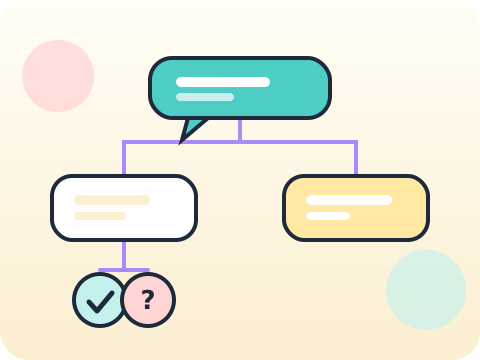
Students design a subject-help assistant with defined knowledge boundaries, a conversation design that guides users, and fallbacks for the moments it cannot help.
Designing for the failure cases, not just the happy path, is the mark of serious system thinking.
Three core ideas, each taught with worked examples and then practised until it feels obvious.
Knowledge boundaries define what the assistant covers and what it must decline, so it never invents an answer to look useful.
Conversation design guides users towards what the system can genuinely do, rather than leaving them to guess.
Testing and fallback: handle the unclear question, the out-of-scope question and the deliberately awkward one.
Grounding an assistant in a specific set of documents, rather than relying on model memory, sharply reduces invented answers.
“Saying ‘I do not know’ makes it look weak.” Users trust a system that admits limits far more than one caught inventing.
Sessions 41–48 of the 72-session year, at two one-hour sessions per week.
Where this module fits, what you will build, and a hands-on starter that gets everyone curious about knowledge boundaries.
Guided teaching on knowledge boundaries, worked through together with the teacher.
Independent practice, small challenges and one deliberate mistake to diagnose.
Guided teaching on conversation design, building directly on the previous two sessions.
Applied tasks that combine knowledge boundaries and conversation design in one piece of work.
Testing and fallback introduced and practised, completing the toolkit needed for the project.
Guided build session for the module project: Subject-help assistant prototype.
Finish, test against the checklist, present the work and explain the decisions behind it.
Every module ends with something the student built themselves and can demonstrate. This is the piece that goes into their portfolio and gets explained out loud at the end of session 48.
Write ten questions your assistant should refuse. Test all ten and check it refuses gracefully rather than guessing.
Students finishing Module 6 can:
The vocabulary introduced here, in plain language:
6 quick questions drawn from this module — vocabulary, the project you build, and a myth-or-fact round. Every wrong answer explains itself, so a mistake still teaches you something.
Tell us your child’s class and what they enjoy. We will suggest the closest program fit—no pressure and no upfront payment.