AI Course for Class 6 Students
A complete 36-week, 72-session artificial intelligence curriculum for Class 6 students—designed around practical tools, creative projects, academic usefulness and responsible AI habits.
Quick answer
The Class 6 AI program is a one-year learning pathway with two one-hour sessions per week. Students learn to use generative AI for age-appropriate research, study, communication, creativity and problem-solving while practising fact-checking, privacy and responsible use.
9 modules × 8 sessions = 72 guided sessions
Select any module to read the full explanation—the big idea, the concepts unpacked, the session-by-session plan and the project students build.
Meet Artificial Intelligence
Artificial intelligence is not coming. It is already in the room, and it has been for years.
- AI in everyday life
- Human vs machine strengths
- Safe sign-in habits
Talking to AI Clearly
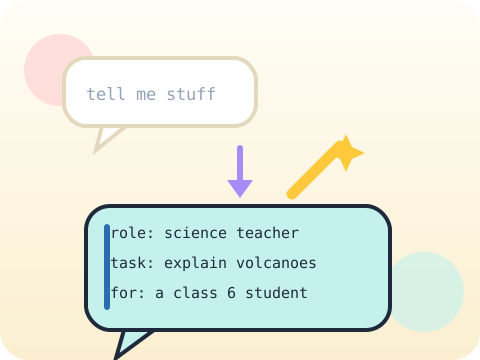
A vague question gets a vague answer. Every single time.
- Prompt purpose
- Context and constraints
- Improving weak prompts
AI as a Learning Buddy
A study buddy who never gets bored of the question you have asked four times.
- Explain at my level
- Quiz and revision prompts
- Checking answers

Writing and Story Worlds
AI can suggest a thousand ideas. Choosing the good one is still your job.
- Idea generation
- Character and plot
- Editing in your own voice
Images and Visual Thinking
Describe a picture well enough and the machine will paint it. Describe it vaguely and you get something strange.
- Describing scenes
- Style and composition
- Image limitations
Voice, Sound and Expression
A computer can now read your story aloud in almost any voice. That raises a question worth asking.
- Text-to-speech
- Pronunciation
- Consent and voice safety

Presentations and Video
Anyone can fill slides with words. Explaining something in two minutes is the hard part.
- Outline to slides
- Visual hierarchy
- AI presenter basics
Truth, Safety and Kindness
AI is confident even when it is wrong. Learning to check is learning to think.
- Fact-checking
- Private information
- Bias and respectful use

Curiosity Showcase
Pick something that actually bothers you. Then use everything you have learned on it.
- Choose a real problem
- Combine AI workflows
- Present and reflect
Year-end outcome
A project the student can explain—not just display. By the end of the year, students can:
- Define the problem or learning goal
- Document important decisions and changes
- Test the output and correct issues
- Present the work and answer questions
Assessment approach
Progress across skills, projects and reflection. Reviews consider understanding, application, originality, accuracy, safety, debugging or verification, and the student's ability to explain their work.
- Module practice and mini-projects
- Mid-year review checkpoint
- Portfolio documentation
- Final capstone demonstration
What families and schools ask
Does the Class 6 AI program require coding?
Which AI tools will students use?
How many classes are included?
How do you teach AI safety?
Your child's free trial is one message away.
Tell us your child’s class and what they enjoy. We will suggest the closest program fit—no pressure and no upfront payment.