Arguments
Arguments can be positional, keyword or defaulted. Sensible defaults make the common case simple and the unusual case still possible.
Write a function once. Document it well. Never think about it again.
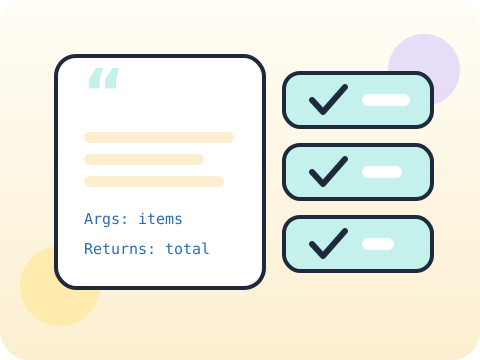
Functions become interfaces — contracts other code depends on. Students learn flexible arguments, docstrings that explain the contract, and tests that prove it still holds after changes.
Reliable, documented functions are what make a codebase survivable across months. This is the beginning of real software craftsmanship.
Three core ideas, each taught with worked examples and then practised until it feels obvious.
Arguments can be positional, keyword or defaulted. Sensible defaults make the common case simple and the unusual case still possible.
Documentation means a docstring stating what the function takes, what it returns and any assumption it relies on. Three lines is usually plenty.
Testing functions means writing code that checks the code — normal input, edge input, and input that ought to fail loudly.
Python can read its own docstrings: calling help(your_function) prints them straight back. Documentation is a built-in feature, not an afterthought.
“Tests are for professionals.” Tests are for anyone who intends to change their code later without dreading it.
Sessions 17–24 of the 72-session year, at two one-hour sessions per week.
Where this module fits, what you will build, and a hands-on starter that gets everyone curious about arguments.
Guided teaching on arguments, worked through together with the teacher.
Independent practice, small challenges and one deliberate mistake to diagnose.
Guided teaching on documentation, building directly on the previous two sessions.
Applied tasks that combine arguments and documentation in one piece of work.
Testing functions introduced and practised, completing the toolkit needed for the project.
Guided build session for the module project: Reusable school utility library.
Finish, test against the checklist, present the work and explain the decisions behind it.
Every module ends with something the student built themselves and can demonstrate. This is the piece that goes into their portfolio and gets explained out loud at the end of session 24.
Write a utility library with five functions, each with a docstring and three tests. Then break one on purpose and confirm the tests catch it.
Students finishing Module 3 can:
The vocabulary introduced here, in plain language:
6 quick questions drawn from this module — vocabulary, the project you build, and a myth-or-fact round. Every wrong answer explains itself, so a mistake still teaches you something.
Tell us your child’s class and what they enjoy. We will suggest the closest program fit—no pressure and no upfront payment.