Environment and files
Environments and files keep a project self-contained — code, data and dependencies in known places, so the project runs on another machine too.
Time to work the way professionals actually work.
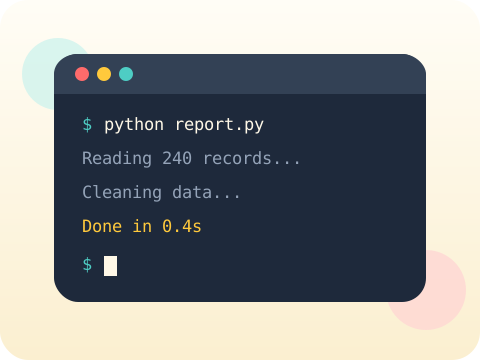
Students move beyond single-file scripts into proper project structure: organised files, a consistent environment, disciplined style and a systematic approach to finding faults rather than a hopeful one.
Class 9 introduces databases, web apps and APIs. None of them are pleasant without solid working habits in place first.
Three core ideas, each taught with worked examples and then practised until it feels obvious.
Environments and files keep a project self-contained — code, data and dependencies in known places, so the project runs on another machine too.
Style follows PEP 8, Python’s official guide. Following a shared standard means any Python programmer can read your work immediately.
Debugging becomes systematic: reproduce reliably, narrow the search, inspect real values, change one thing, verify. Never two changes at once.
PEP 8 is itself a numbered proposal document, part of a public process anyone can contribute to. Python’s rules are written in the open.
“Everything can live in one file.” It can, until it cannot — and untangling a 900-line file late in a project is genuinely painful.
Sessions 1–8 of the 72-session year, at two one-hour sessions per week.
Where this module fits, what you will build, and a hands-on starter that gets everyone curious about environment and files.
Guided teaching on environment and files, worked through together with the teacher.
Independent practice, small challenges and one deliberate mistake to diagnose.
Guided teaching on style, building directly on the previous two sessions.
Applied tasks that combine environment and files and style in one piece of work.
Debugging introduced and practised, completing the toolkit needed for the project.
Guided build session for the module project: Command-line productivity tool.
Finish, test against the checklist, present the work and explain the decisions behind it.
Every module ends with something the student built themselves and can demonstrate. This is the piece that goes into their portfolio and gets explained out loud at the end of session 8.
Build a command-line tool that accepts arguments, then run it from any folder on your computer. That is the moment it stops being homework.
Students finishing Module 1 can:
The vocabulary introduced here, in plain language:
6 quick questions drawn from this module — vocabulary, the project you build, and a myth-or-fact round. Every wrong answer explains itself, so a mistake still teaches you something.
Tell us your child’s class and what they enjoy. We will suggest the closest program fit—no pressure and no upfront payment.