Tracebacks
A traceback names the file, the line and the type of error. Read the last line first — it is usually the actual answer.
Errors are not failure messages. They are the computer telling you exactly where it got confused.
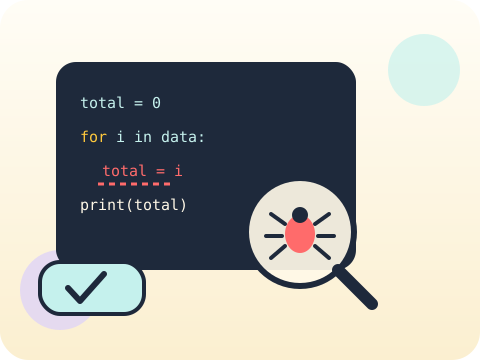
Students learn to read a traceback from the bottom up, handle predictable failures gracefully with try and except, and write test cases that check the awkward inputs rather than only the easy ones.
Debugging calmly is the single most transferable skill in the course. It is also the moment coding stops being frightening.
Three core ideas, each taught with worked examples and then practised until it feels obvious.
A traceback names the file, the line and the type of error. Read the last line first — it is usually the actual answer.
Exception handling catches problems you can predict, such as text typed where a number belongs, and responds helpfully instead of crashing.
Test cases are chosen deliberately: a normal value, a boundary value, an empty value and a plainly wrong value. Four tests catch most real bugs.
The word “bug” predates computers, but the most famous one was literal: a moth found inside the Harvard Mark II in 1947, taped into the logbook.
“try/except fixes errors.” It only catches them. Wrapping everything in a bare except hides genuine bugs and makes them far harder to find.
Sessions 57–64 of the 72-session year, at two one-hour sessions per week.
Where this module fits, what you will build, and a hands-on starter that gets everyone curious about tracebacks.
Guided teaching on tracebacks, worked through together with the teacher.
Independent practice, small challenges and one deliberate mistake to diagnose.
Guided teaching on exception handling, building directly on the previous two sessions.
Applied tasks that combine tracebacks and exception handling in one piece of work.
Test cases introduced and practised, completing the toolkit needed for the project.
Guided build session for the module project: Bug detective challenge.
Finish, test against the checklist, present the work and explain the decisions behind it.
Every module ends with something the student built themselves and can demonstrate. This is the piece that goes into their portfolio and gets explained out loud at the end of session 64.
Take a working program, deliberately introduce three different bugs, swap with a partner, and time how long each takes to find.
Students finishing Module 8 can:
The vocabulary introduced here, in plain language:
6 quick questions drawn from this module — vocabulary, the project you build, and a myth-or-fact round. Every wrong answer explains itself, so a mistake still teaches you something.
Tell us your child’s class and what they enjoy. We will suggest the closest program fit—no pressure and no upfront payment.