Strings and numbers
Text (strings) and numbers behave differently on purpose. "5" + "5" gives 55 because Python glues text together, while 5 + 5 gives 10 because Python adds numbers. Same keys, different meaning.
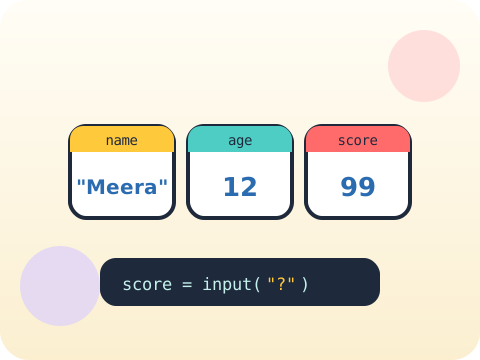
A variable is a labelled box. Python will happily keep anything you put in it — until you swap it for something else.
Programs become useful the moment they stop being fixed. Variables let a program hold information, input lets a person hand information over, and together they turn a one-line message into something that responds to whoever is sitting at the keyboard.
This is the first moment a child’s program talks back to a real human. It is usually the session where coding stops feeling like copying and starts feeling like making.
Three core ideas, each taught with worked examples and then practised until it feels obvious.
Text (strings) and numbers behave differently on purpose. "5" + "5" gives 55 because Python glues text together, while 5 + 5 gives 10 because Python adds numbers. Same keys, different meaning.
A variable is a name stuck to a value, like a name tag on a lunchbox. Change what is inside and the name still works — that is what makes programs flexible.
input() pauses the program and waits for a human. Whatever is typed arrives as text, so numbers need converting before maths will work on them.
Whatever a person types at input() arrives as text — even 42. Forgetting to convert it is the single most common first-year Python bug in the world.
“= means equals.” In Python, = means “put this value into this box”. Checking whether two things are equal needs ==.
Sessions 9–16 of the 72-session year, at two one-hour sessions per week.
Where this module fits, what you will build, and a hands-on starter that gets everyone curious about strings and numbers.
Guided teaching on strings and numbers, worked through together with the teacher.
Independent practice, small challenges and one deliberate mistake to diagnose.
Guided teaching on variables, building directly on the previous two sessions.
Applied tasks that combine strings and numbers and variables in one piece of work.
User input introduced and practised, completing the toolkit needed for the project.
Guided build session for the module project: Personalised quiz.
Finish, test against the checklist, present the work and explain the decisions behind it.
Every module ends with something the student built themselves and can demonstrate. This is the piece that goes into their portfolio and gets explained out loud at the end of session 16.
Build a three-question program that asks a family member their name, favourite food and lucky number, then prints a silly sentence using all three.
Students finishing Module 2 can:
The vocabulary introduced here, in plain language:
6 quick questions drawn from this module — vocabulary, the project you build, and a myth-or-fact round. Every wrong answer explains itself, so a mistake still teaches you something.
Tell us your child’s class and what they enjoy. We will suggest the closest program fit—no pressure and no upfront payment.